SAM-TB
Home
My data
My analysis
My samples
Help
FAQ
中文
Sign in
##Quick analysis ###Create analyses (1) Click to enter the webpage “My data”. (2) Uploading data: click “File Upload” to upload the sequencing data (fastq or fastq.gz format) in batch. Do not refresh or close the page during the upload. (3) Modifying parameters: click the person avatar in the upper right corner and select “Analysis setting”, then modify the analysis and quality control parameters on the webpage that appears. You can also use the default parameters for analysis (go directly to Step 4). (4) Create batch analysis: click “Create batch analysis” on the “My data” page. In the floating window, click “Download sample import template” to download the template file. Fill in sample information according to the template, and upload the edited file to the website. The website will automatically perform “single sample variants analysis” for all samples listed in the file. 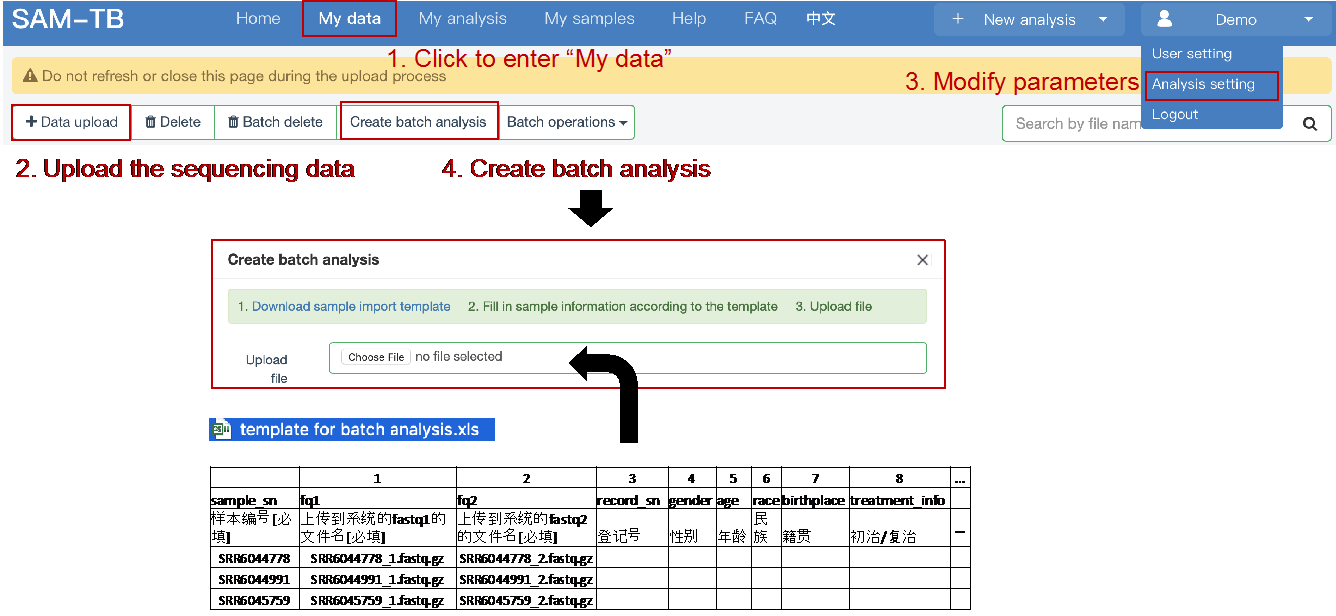 Note: Please do not modify the content of the first three lines of the template, otherwise it may not be parsed correctly. ###View and download analysis results • When the analysis is created, the page will automatically jump to the webpage of “My analysis”. The “Status” column on the page displays the status of all analysis, including “Not started”, “Running”, “Completed”, etc. Click the analysis ID to view the detailed analysis process and the results of a completed analysis. 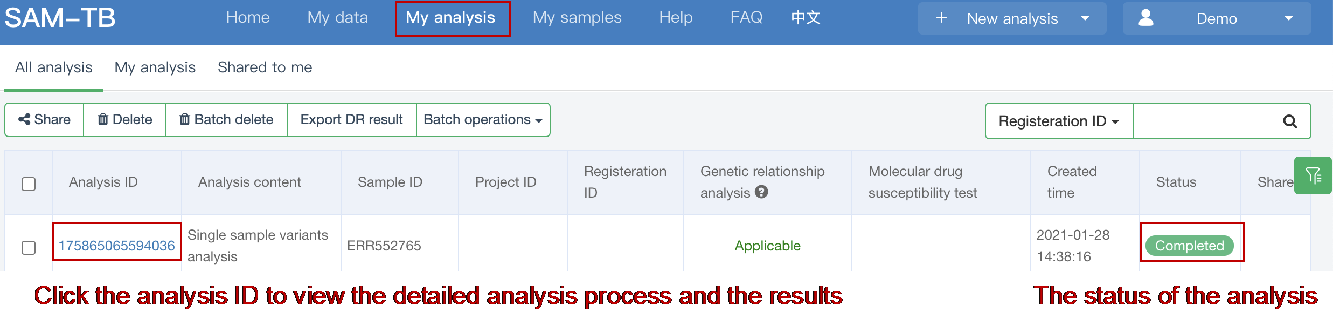 • Batch export results For samples with “Completed” status, the results can be exported in two ways: ① Tick the box on the left of the samples. Click “Export DR result”, or click “Batch operations” and select “Batch export analysis results”. Click “Export” on the webpage that appears, and download the results by clicking the appeared link(s). ② Click “Export DR result”, or click “Batch operations” and select “Batch export analysis results”. Enter analyses or samples ID on the webpage that appears. Click “Export” on the webpage that appears, and download the results by clicking on the appeared link(s). 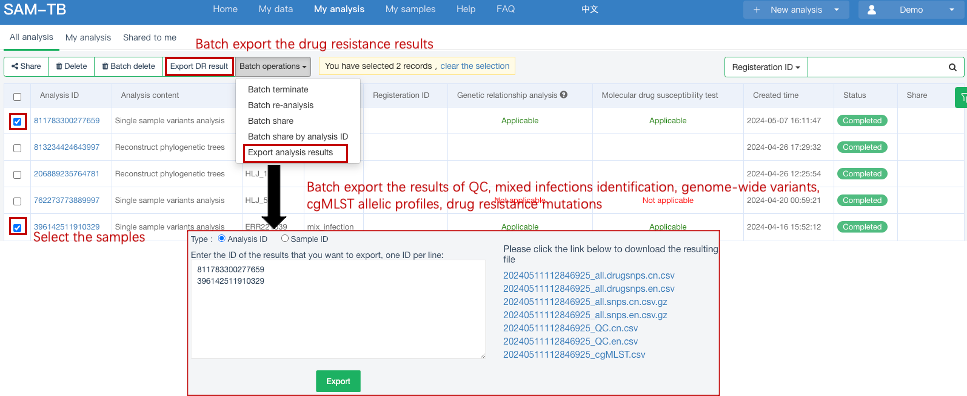 Note: “Batch export analysis results” allows the user to download the results of quality control, mixed infections identification, genome-wide variants, cgMLST allelic profiles and drug resistance mutations.
<< Return
Title:
Description:
Thank you for using our service, we will reply you by email as soon as possible.